AETV - Teaching a machine to squish video where it shouldn't fit
What if we squeezed video through a radio channel barely wide enough for a conversation? AETV uses neural compression, questionable amounts of GPU time, and amateur radio to turn pictures into strange numbers, fire them through the ether, and politely ask another neural network to put them back.
The journey
Back in the middle of August, while farting around with new frontier LLM drops from Google, Anthropic, and OpenAI, an old idea I’d had for a couple of years resurfaced:
SSTV with convolutional autoencoders should result in higher-quality images under a similar power and bandwidth bottleneck.
That was the hypothesis, anyway. The fun part was finding out it actually works.
The appeal is pretty straightforward. I want to move pictures through a radio channel with very little room to spare, without losing the graceful degradation that analog SSTV provides.
Teaching the bottleneck
An autoencoder has two halves. The encoder turns an image into a smaller representation, usually called a latent. The decoder tries to reconstruct the image from that representation. Restrict what can pass between them and the model has to learn which information helps most with reconstruction.
The radio twist is to put a simulated channel between those halves during training. The decoder gets a damaged representation, and the encoder has to learn to produce something useful under those conditions. This approach is called joint source-channel coding, or JSCC: learning compression and resilience to channel damage together. The Deep JSCC paper by Bourtsoulatze, Kurka, and Gündüz describes this arrangement using convolutional networks and a noisy channel layer.
Conceptually, the experiment looks like this:
Image → Encoder → Small representation → Noisy channel → Decoder → Reconstructed image
There is still a budget. Making the representation smaller leaves less room for detail; making it larger costs more occupied bandwidth. The interesting question is what the model can preserve within that budget.
Some early results showed that the image model could reconstruct a reasonable amount of detail under hostile channel conditions, including low signal-to-noise ratio and multipath:
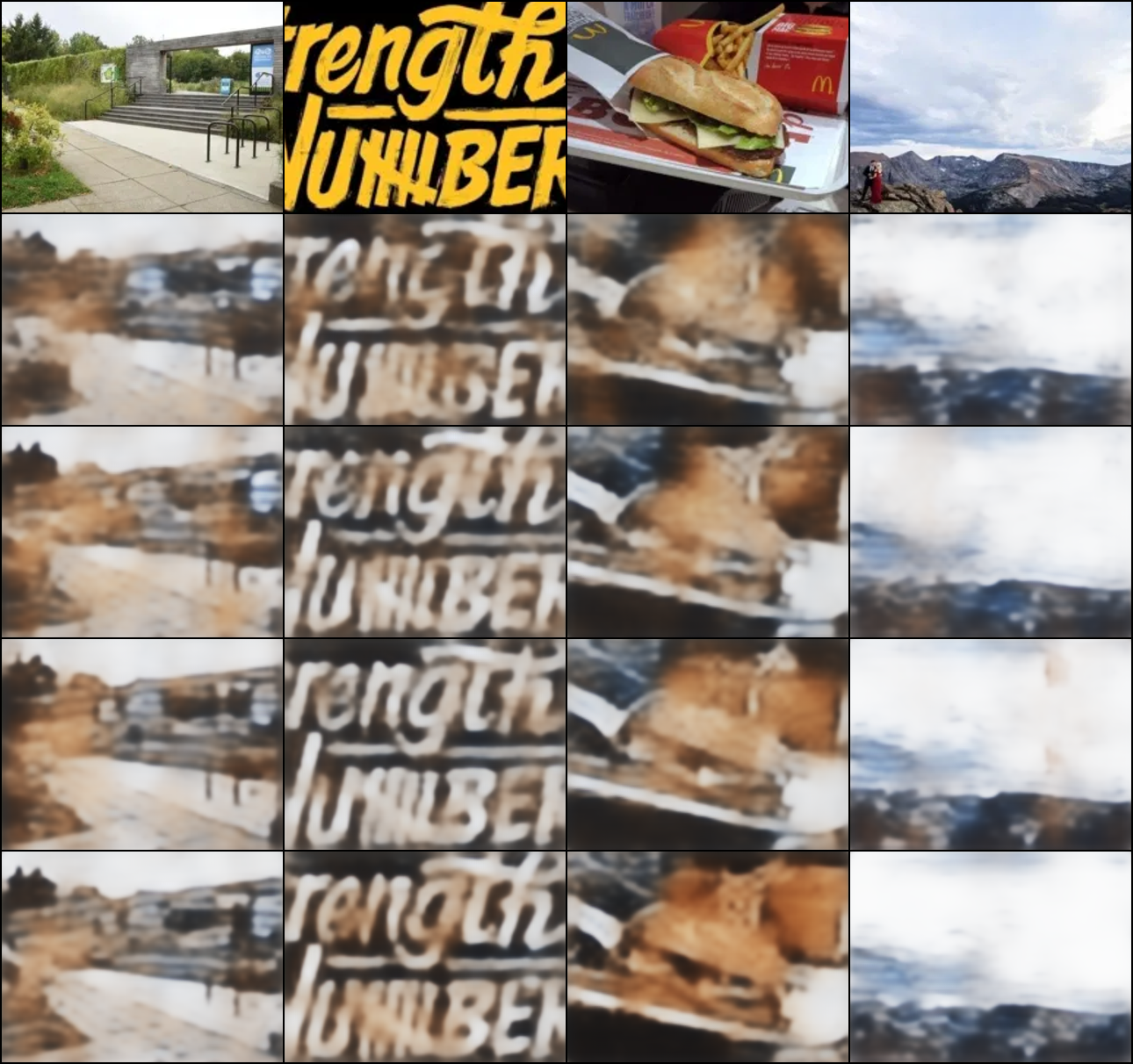
I could kinda tell it’s a burger
Someone else had been pulling on it too
While working on this image model, I found KC2G’s SSTVAE project.
SSTVAE over 20 metres, from KC2G’s project.
For example, this is what normal analog SSTV pictures look like:
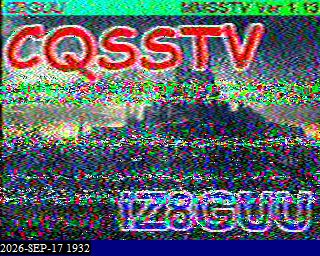
i think there is a castle in there?
After some playing with SSTVAE, and bouncing some ideas around with Adrian, VA3NB who made a crack at this a while ago, Video made sense as the next logical step. Video’s just a bunch of images sent quickly right? Plus, we can couple it with a variety of methods to send audio, and have Amateur TV QSOs, over everything from HF to microwave.
ATV - Meet AETV
Conventional fast-scan ATV borrowed heavily from broadcast television: NTSC or PAL pictures, AM or vestigial-sideband transmission, and FM television on suitable bands. These are MHz-scale signals. They make sense when you have the spectrum and the hardware to carry them. BATC’s Amateur Television Handbook is a useful look at that world.
Digital ATV brought compressed video and standards such as DVB-S and DVB-S2. Then reduced-bandwidth television, usually shortened to RB-TV, pushed the transmission rates down further.
By 2015, BATC was documenting a 333 ksymbol/s DVB-S approach occupying about 450 kHz, using MPEG-4 video compression. Modern amateur equipment supports still lower symbol rates too. Those are real improvements, and can produce much better pictures than the tiny video we’re discussing here. BATC’s RB-TV introduction and Portsdown documentation explain the approach.
But “reduced bandwidth” is relative. A few hundred kilohertz is wonderfully narrow compared with a broadcast television channel. It’s still a rather ambitious request to make of a 3 kHz SSB filter.
Digital reception also has a threshold. Error correction can do a fantastic job while enough information survives. Below that, the decoder may freeze, break up, or lose the picture. Anyone who has watched a marginal digital television signal knows the experience.
For super narrowband channels, ZL2AFP has a technically interesting solution, using a OFDM line-per-carrier approach, but still only delivers 96x72 or 48x48 at fractions of a frame per second.
There’s also the vintage Nipkow disk/mechanical television solution, but again, very low resolution/framerate, no color..
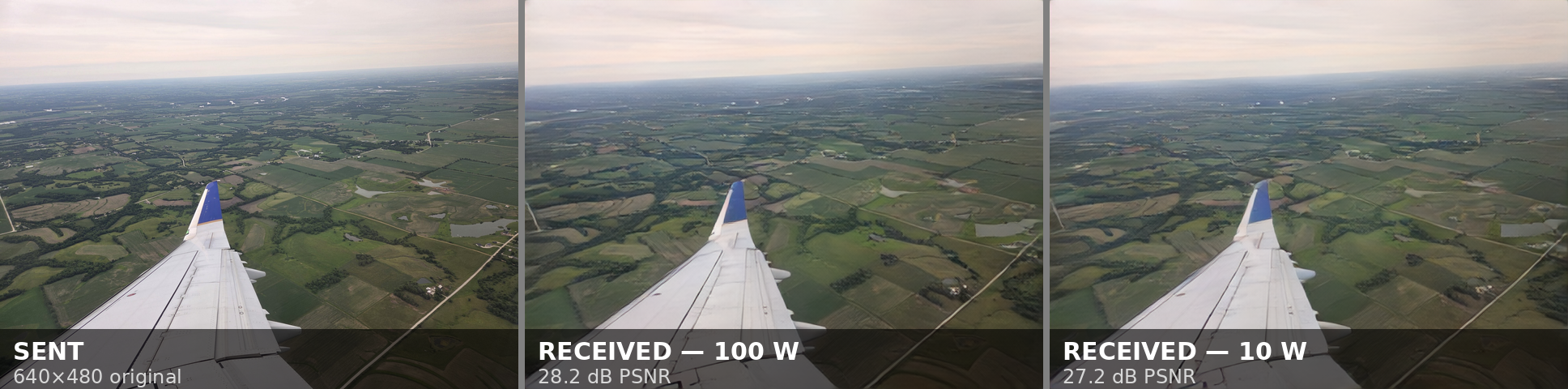
AETV takes the same SSTVAE/RADE inspired autoencoder for HF and applies it to video, with some pretty amazing results.
| Mode | Picture | Channel requirement |
|---|---|---|
| Standard video | 192×108 colour at 6 fps | About 2.25 kHz carrier-grid width, designed for a nominal 3 kHz SSB channel |
| Standard audio + video | 192×108 colour at 6 fps, plus analog voice | Approximately 5 kHz passband |
| Wide 8 kHz | 256×144 colour at 12 fps | Approximately 8 kHz occupied bandwidth |
| AC16 | 256×144 colour at 10 fps | Guarded 16 kHz video waveform |
| AC16 audio + video | 256×144 colour at 10 fps, plus analog audio | 20 kHz composite waveform |
Those are different waveform requirements, not settings that every radio will pass. A normal narrow SSB filter is fine for standard video; it will remove part of the wider modes. The standard A/V notes and AC16 operating guide explain the layouts.
AC16 also uses a different video arrangement: one reference picture followed by nine predicted pictures per second
Training is the expensive part, but operating a station is more manageable. On the project’s Ryzen 7 5800X benchmark, standard mode takes about 414 ms to encode a second of video and 629 ms to decode it. That’s fast enough for half-duplex operation on that CPU. Wide 8 kHz needs a GPU for practical live use on the tested setup; other machines and modes should be checked with the included benchmark. The repository README lists the measurements.
Why I think this is the right trade
For the thing I wanted—recognisable moving colour pictures through a very small radio channel—this is the best fit I’ve found so far.
Compared with SSTV, it buys continuous motion. Compared with the earlier voice-band OFDM NBTV modes, it offers a much more useful combination of resolution and frame rate. Compared with conventional RB-TV, it brings the required channel width down into ordinary SSB territory.
And its learned analog payload gives us a way to keep extracting useful pictures as the channel gets worse. That is a very appealing combination for HF, where the channel rarely asks permission before changing.
The price is reconstruction quality. AETV throws information away, and the decoder uses what it learned during training to rebuild a picture. Fine text can become unreadable. Texture can get smoothed out. Small details can be wrong even when they look plausible. A 192×108 output also doesn’t imply that every one of those pixels contains independently recovered detail.
If you have enough bandwidth for good digital ATV, you can get substantially better pictures. If you want a detailed still image and don’t mind waiting, SSTV/SSTVAE are the best option.
What gets me excited is the operating point: someone waves at the camera, and the other station can watch them do it, in colour, through a channel we’d normally use for a voice conversation.
Give it a go
Source and binaries are on the AETV GitHub. The station app handles camera and file sources, radio audio, reception, and local channel simulation.
Start with the standard mode and local loopback. Both stations need the matching mode and model. For audio/video or wider modes, check that the whole transmit and receive path actually passes the waveform, and choose a bandwidth appropriate to your band and licence.
Then point a camera at something, turn it into strange numbers, and see how much of it survives the trip.